
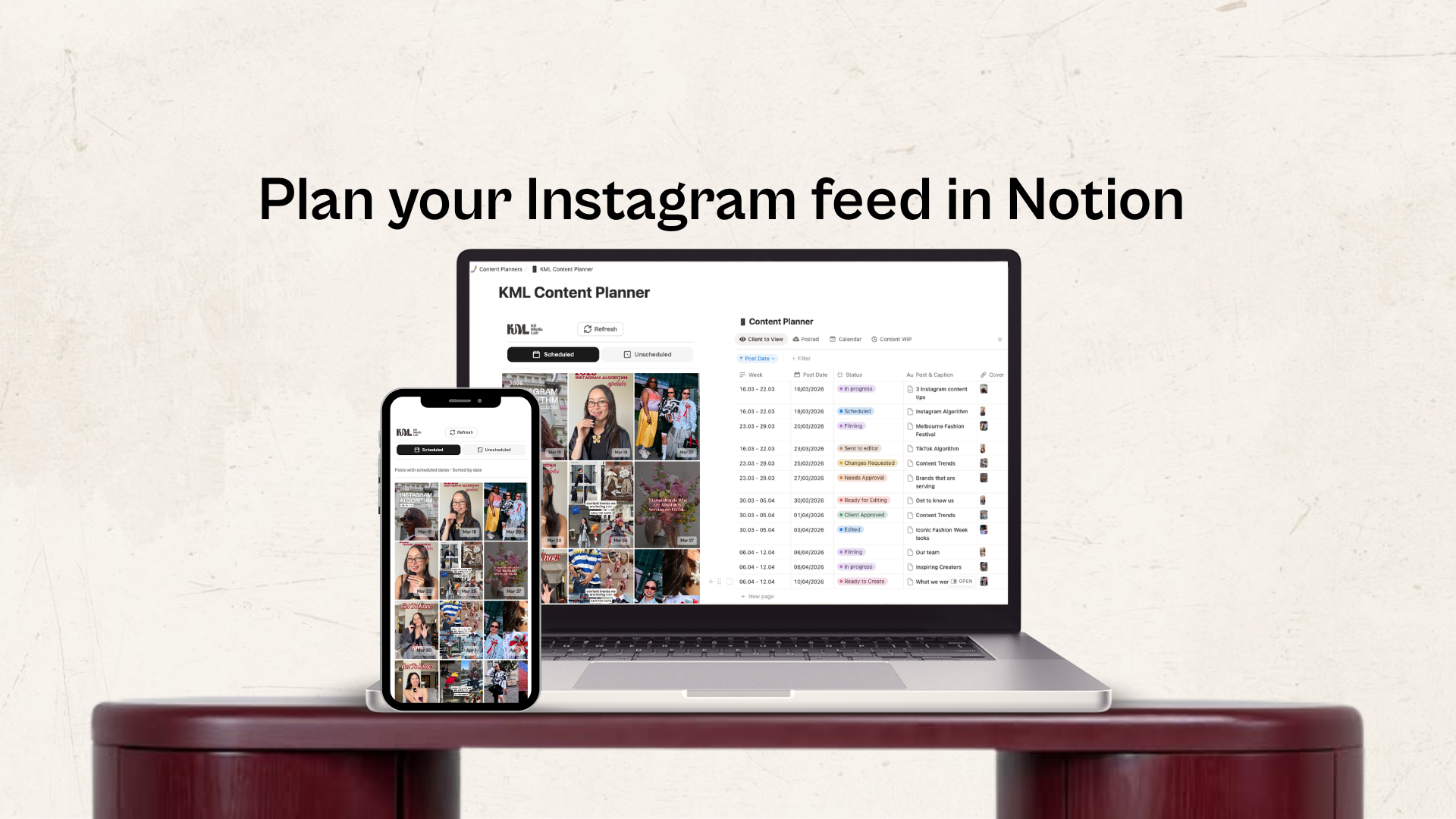
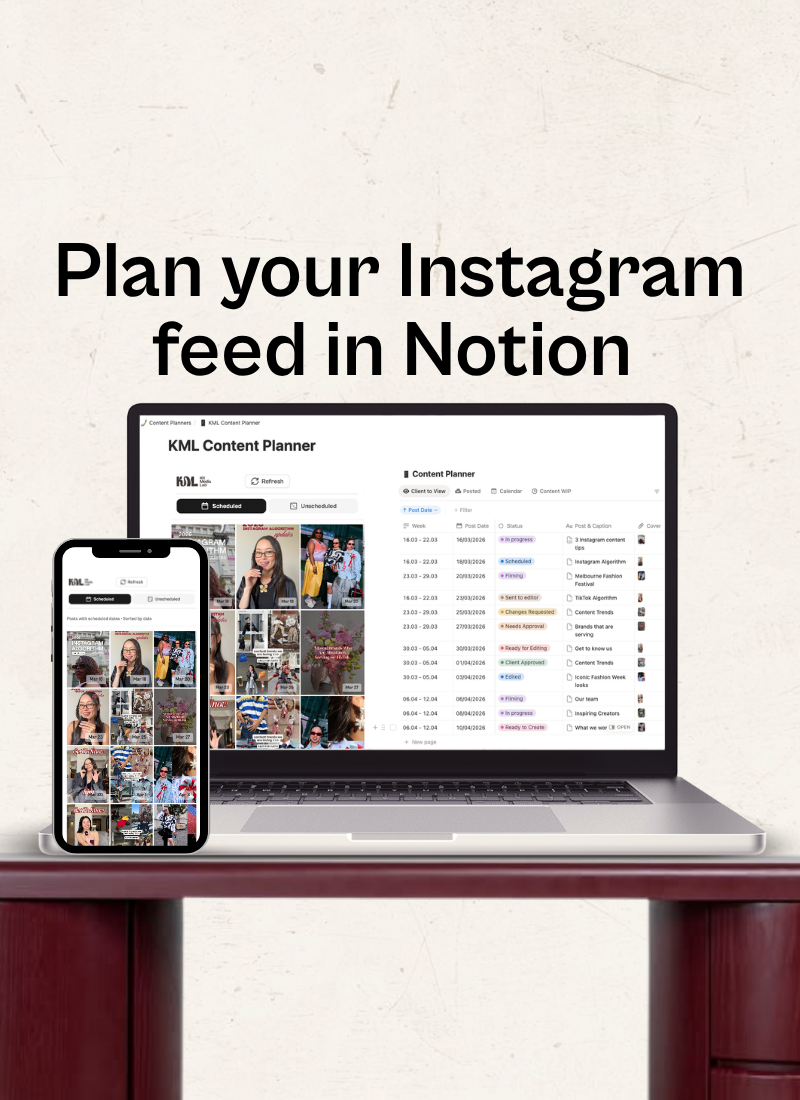
Everything you need, on a single page.
Preview your grid before you post. Drag, drop, and schedule your content with our Notion feed preview widget.
Designed by marketers who love nothing more than an aesthetic grid.
Time-saving feed planner
|
Time-saving feed planner |
Save time on content planning
Instagram is a visual platform and your grid aesthetic matters. Feed planning can be stressful and annoying, our tool allows you to seamlessly plan both scheduled and un-scheduled posts.
Our Instagram feed preview widget integrates directly with Notion. It makes content planning a breeze.
How does it work?
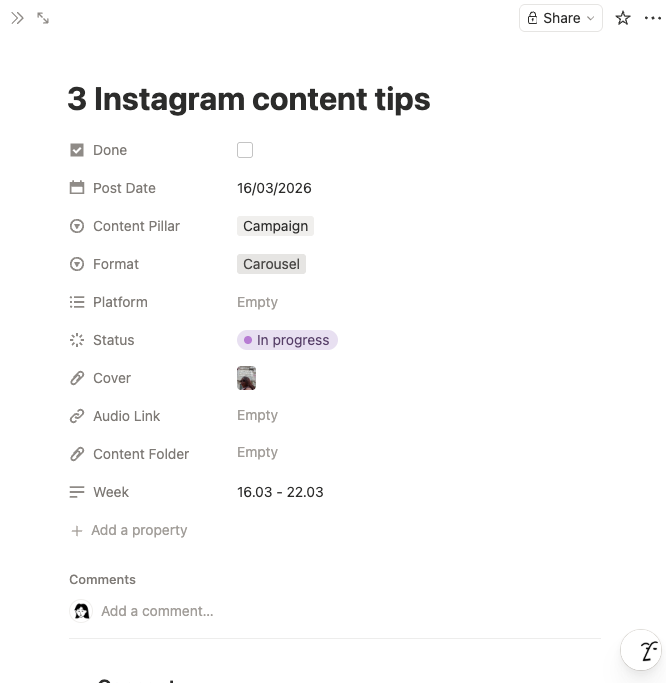
Create your post in Notion
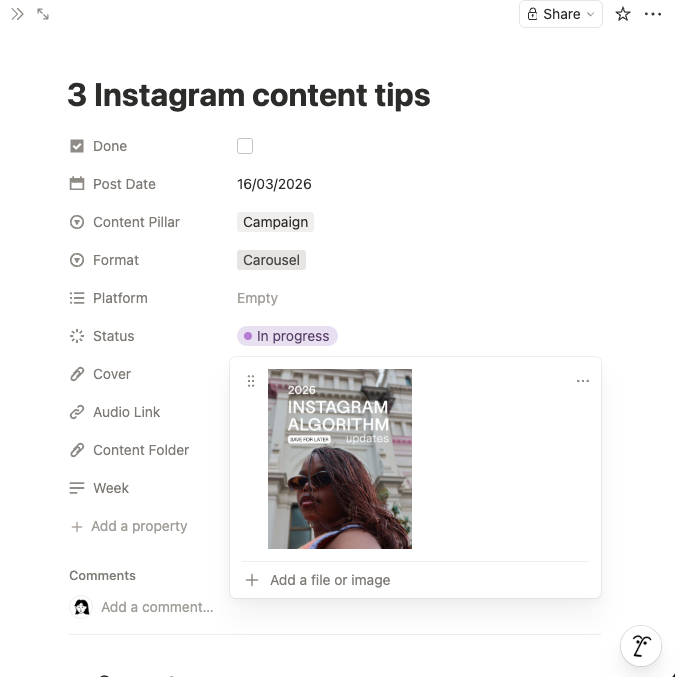
Add your content cover
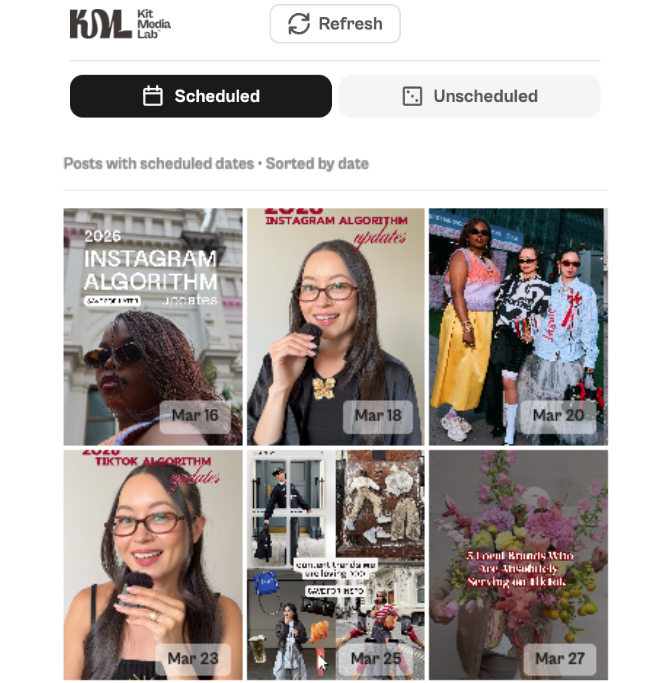
Your grid is ready!
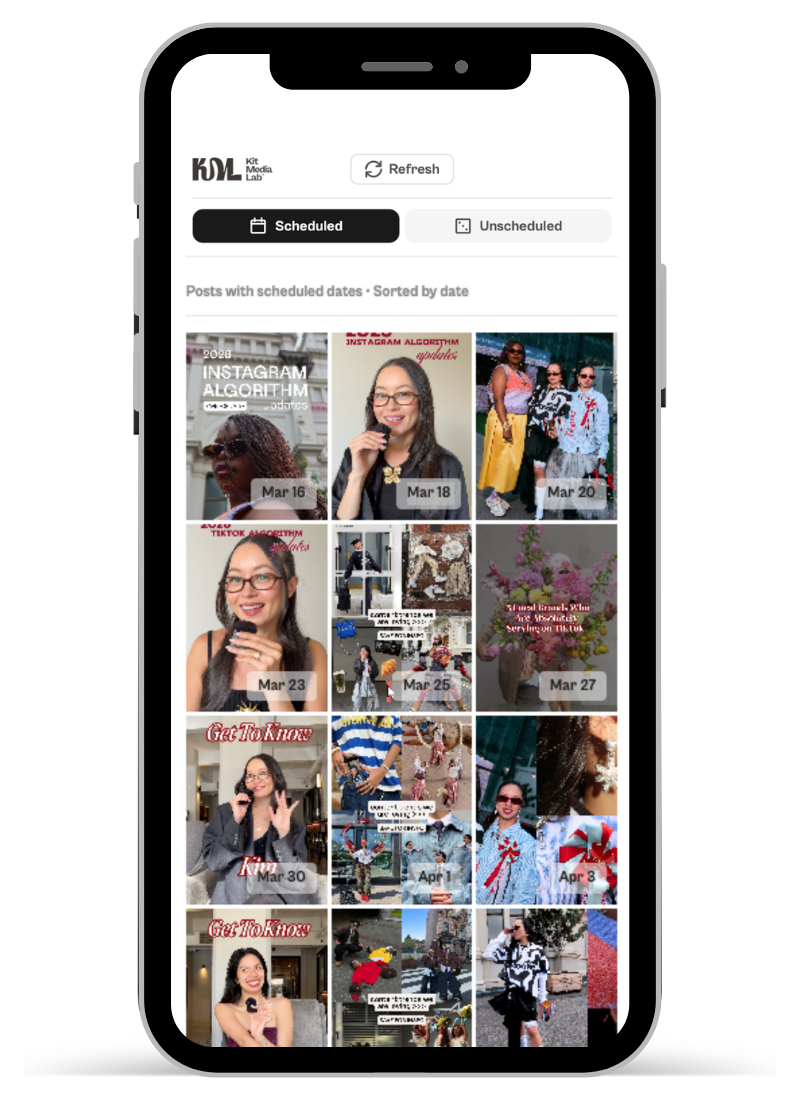
Here's what makes it different:
Real-time visual preview: Upload images to your Notion database and instantly see them arranged in Instagram's 3-column grid format.
Drag-and-drop rearranging: Click any post and drag it to a new position. Watch your grid update in real-time to find the perfect aesthetic balance.
Scheduled vs. unscheduled posts: Add dates to posts you're ready to publish. Posts with dates show scheduling badges; drafts show "unscheduled" labels.
No app switching: Everything lives in Notion. No exporting, no third-party tools, no complicated integrations, just seamless Instagram planning where you work.
Cross-device access: Set up once on desktop, then access on mobile or tablet. Your Instagram content calendar syncs across all devices.
Pay once, yours forever
Notion Instagram Grid Preview Widget
Unlimited widget access to use our widget across your Notion account.
$25
Includes
Unlimited Widgets
Set-up Guide
Use with your own Content Calendar
The Ultimate Social Planning Bundle
Widget + our content planner. For the divas who want it all in one package.
$35
Includes
Social Media Content Planner
Unlimited Widgets
Widget Set-Up Guide
Content Planner Guide
Frequently Asked Questions
-
Yes, you'll need a Notion account to use the widget. It has been designed specifically for Notion content planning. The widget connects to your Notion database to display your Instagram content.
-
No! It's a one-time payment for lifetime access. No monthly fees, no recurring charges. Pay once and use it forever.
-
Yes, the widget works on desktop, mobile, and tablet. You'll need to set up your credentials once per device (takes 2 minutes).
-
We provide a complete step-by-step setup guide with screenshots. Plus, you get access to email support if you run into any issues.
-
No, this is a planning and preview tool. You'll still post to Instagram manually or using your preferred scheduling tool. The widget helps you visualise how your grid will look before you post.
-
Yes, you can create separate Notion databases for each account and connect the widget to whichever account you want to preview.